Weather calendar: Pyboard

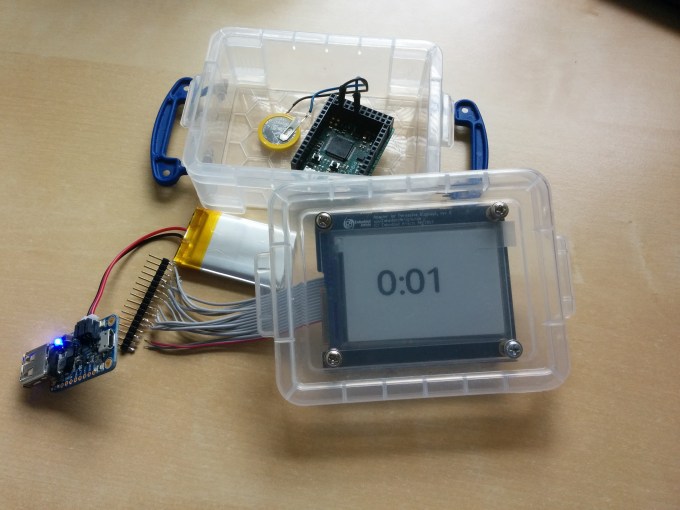
I found it very easy to get the Pervasive Displays e-ink working with the Pyboard once I discovered Peter Hinch’s github library. This not only made the display access easy but also helped with forming the fonts and digits.
img_20160926_151226

The components I used were:

  • LiPo battery, supplies 3.3V and my one is 850maH.
  • small plastic container
  • battery charger from Adafruit
  • Pyboard
  • RTC battery backup in the form of a CR2032 battery.

I also used another of Peter Hinch’s libraries to determine the ‘drift’ of my Real-Time clock on the board I have, and came out with a calibration of -145. Yours may be different, run the tests!

The code was simplicity as once I had set the RTC using the ‘finger’ method of waiting until the seconds changed on my desktop system and sending the command (this is bound to be perhaps 0.5sec wrong, but who cares?) then the battery backup along with the calibration setting should keep it reasonably accurate.

The problems were a couple: the blue light on the battery charger “was very bright” and kept my son awake at night in his room where we tested this clock, and the battery ran out after just a few days. For those who say ‘get a bigger battery’, I actually don’t care what size as the system I want to build should be able to run on a coin battery if needed – I really don’t want to recharge things constantly nor have a large lead-acid car battery sitting under my display.

Code was simplicity itself with just a few lines:

# MicroPython to display digital clock on Embedded Artists e-ink display
# Using epaper library from Peter Hinch
#
# (c) Doug Hall 2016

import time

import epaper

import pyb

a = epaper.Display('L', use_flash=True)
t = time.localtime()
rtc = pyb.RTC()

a.clear_screen()
with a.font('/fc/nunito64x68'):
 a.locate(50, 50)
 a.puts('{:d}:{:02d} '.format(t[3], t[4]))
 a.show()

rtc.wakeup(55000)
pyb.standby()

All in all a good first attempt at writing Python, using an embedded system, and getting an e-ink display running. Downsides were the Pyboard battery consumption, the Pervasive Display itself was a little small (and I ‘cooked’ one with wrong voltage!), and the large ribbon cable connections seemed unwieldy.

On to the next attempt…

Weather calendar, part deux!

Whilst some of my systems have worked, some have not. First up, I have no problem in getting a display on the e-ink displays which I have (a Pervasive Displays, Waveshare) using their demo programs and using either a USB connection or an Arduino.

Arduino

Simplest is the Arduino code and communicating to this via a USB connection, using the Arduino GUI on a Linux machine. This works!

PC

Second easiest is talking to the display directly using a UART connection from a PC, such as the CP2102 chip and driving the display via the USB cable:

  • Using a Python library works well.
  • Using the C code supplied by Waveshare themselves as a library – not tried but I assume it would work like the Python code.

Adafruit Feather Huzzah

  • running MicroPython did not work and gave a memory error
  • running the NodeMCU?

Eventually the memory error helped realised that I may have been approaching it like it was a large system, is there a way I can keep the memory requirements much lower and get the display working? The Huzzah is a good system, although it is a little power-hungry for my liking.

WiPy

Using a WiPy running MicroPython also did not work. I was a little disappointed with this as I think the system is a good one.

Photon

I’ve one of the little Particle.io systems and have played with it, but as the programming was not in Python not taken it further. It could be a possibility but I want to push the MicroPython boards to see if one can handle what I want to accomplish.

Pyboard

I have one of the v1.0 Pyboards from the Kickstarter campaign, and got this working driving the Pervasive Displays display. Mostly because someone else wrote the code and gave a great walkthrough for the wiring and soldering needed.

ESP8266

I’ve ordered a ‘raw’ ESP8266 as one Youtube video shows that working okay as an endpoint, with the Python code running on a backend laptop. I can get one of my small SBCs to do the driving. More on this later…

TXB0108

Logic voltages have changed over the years since the Arduino first came out, and modern chips are largely based around the 3.3V compared with the 5V of the early Arduino systems. Of course this varies and some are 1.8V and so on. I wondered if I were driving the display with the wrong voltage. The Waveshare site claims that the display can handle 3.3-5V okay, although I note that they say you feed it 5V when using their demo program to talk to a PC.

I tried to use a level shifting chip – the TXB0108 – which will either up-shift or down-shift the logic levels on the control lines (and not the voltage! – that I had to realise, so you still must supply 5V somehow). Whilst the results were tantalising, they were inconsistent when only supplying 3.3V to the display as often the updates would not come through and the screen looked ‘broken’.  Feeding 5V worked perfectly. Learning about level-shifting was fun, and may come in handy for later projects, but I’ve assumed that I need a 5v feed to the Waveshare display with 3.3V logic levels on the TX/RX and

Weather calendar

I have been thinking and tinkering around creating a home weather calendar. The background is that we have a variety of hand-held devices such as mobile phones, PCs and tablets as well as a reasonable in-house network, both wired and wireless.  I’ve also a number of local sensors such as weather stations and temperature sensors, and some level of automation with programmable lighting. I’d like to create a weather calendar to display the local weather forecast, plus upcoming calendar entries from our joint shared Google calendars.

Some simple requirements:

  1. High contrast display that can run from battery – LCD or e-ink.
  2. Low-powered system that can run a long time from a battery.
  3. Wifi connected so that I can work on it remotely.
  4. Preferably coded in Python as I am happiest working in that language.
  5. Preferably all local to the display.

To do this I am going to assemble some components:

  • e-ink displays
  • Embedded systems
  • Single-board computers

… of which I have a couple of e-ink displays (Pervasive Displays and Waveshare models), a handful of embedded systems (Pyboard, Photon, Feather Huzzah, WiPy) and any number of SBCs (Raspberry Pi, Beaglebone Black, Odroid, Arduino).

I rejected powering this off a SBC like the Raspberry Pi as the power requirements for those are bad as even the Pi Zero will only run for less than a day with AA batteries! The vast differences between those chips that run a full Linux stack versus the embedded world that have negligible power draw on sleep mode. In addition a lot of those embedded systems are wifi-connected, and wifi itself is power hungry and needs careful sleep modes.


Remove packages from a list of .deb files

I have installed a set of Linux packages from a directory of .deb files. I then wanted to uninstall them, but trying to guess the package names was hard – even harder was wading through the sheer amount of files to remove them! Linux has this weird thing where you can installed from anyrandomname.deb file, but you have to remove by package name.

A bit of Googling and some short script work got me this:

#!/bin/bash

for f in *.deb;
do
 pak="$(dpkg-deb -f "$f" Package)";
# echo $pak $pak
 sudo apt-get remove $pak ;
done

Every deb file is listed, examined and the packages listed then uninstalled by package name. While there may be more elegant ways, this seems to work!

Where did telephone numbers go?

Back in the day telephone numbers represented a house. People in organisations or from domestic dwellings would call houses and then ask for the person to whom they wanted to speak. Today we call another’s mobile and almost disregard what number we are calling, or use any number of mobile apps which ignore the whole idea of telephone numbers such as WhatsApp.

But he main purpose of fixed line numbers today seems to have become finding out who called you, and ignoring them. This can be done from a mobile of course, but think about this:

  1. We used to have printed telephone directories when you wanted to call someone else’s house.
  2. Commercial organisations would list their names in a colourful printed directory, sometimes call the Yellow Pages (or blue or pink in other countries).
  3. We would find people through directories and contact them via their fixed line telephone number.

oldman

So the important points are that:

  • People/organisations would be discovered through a directory
  • Numbers represented the route to contact that person or organisation

Present day

Today, the main use for fixed lines numbers seems to be typing them into Google and trying to work out ‘who called me’ – the plethora of web sites which provide such services seems to indicate that it is a growth business!

Following the theory that the best new businesses are those which remove part of an established process (think Uber – remove the payment, think AirBnB – remove the property) then we have moved to the place that telephone numbers have all but disappeared, and which specific telephone number we have is almost irrelevant, since no-one dicovers us, nor contacts us anymore through the use of a string of digits.

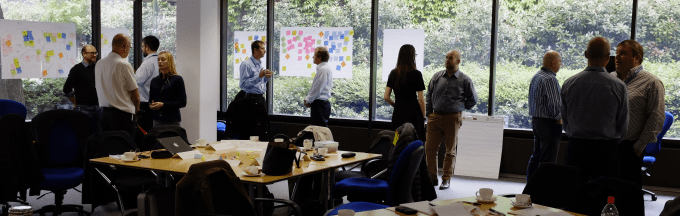
Design Thinking is not a spectator sport

dt

Many times when I have led Design Thinking classes one observation I have made is that those workshops don’t work well if there are ‘observers’. Whatever reason they may have, people who are not engaged with the participants – either talking amongst themselves, or absorbed in reading their email on laptop or phone, destroy the energy and engagement in the room.

Sometimes it is hard to deflect them – one occasion was that a senior manager from my organisation wanted to “see the effects” of a design workshop and joined us, only to sit doing their email on a laptop in the middle of the classroom. Other times it is because some urgent business reason has arisen and a student needs to communicate with other colleagues in the business – which is a perfectly valid reason and should take priority.

I no longer allow them, and gently suggest that they should either participate or leave the room. If events arise I believe that a professional person should either (a) step outside the room and deal with the matter, or (b) excuse themselves from the duration of the class. I’m happy with both: we are adults and you don’t need my permission, but to get the best outcomes for both yourself and the rest of the class I need you to:

Be Here Now!

Creating a clock using ESP8266 wifi and electronic paper

My current project is a clock using electronic paper which will run on batteries, access the internet to set the local time using the ntp protocol, and use a real-time clock to maintain accuracy.

Alternatives

I considered a number of ways of coding and controlling this display. Fundamentally I’d have to drive one of these e-paper displays, and secondly run from battery for long periods. Ideally I’d like to connect to it via wifi to update code and change things, and the clock would be a real-time clock driven by an accurate crystal with battery backup. My options seem to be:

  1. Single board computer with full Linux operating system
    • Odroid C1+
    • Raspberry Pi Zero
    • … your favourite SBC
  2. Embedded controller (of which the Arduino is a well-known type)

List of components

  1. Arduino Uno, for initial prototyping
  2. Embedded Artists EM027BS013 from Cool Components
  3. Adafruit Feather HUZZAH using the ESP8266 wifi chip
  4. Adafruit PowerBoost 500
  5. Adafruit Precision RTC featherwing daughter board

The HUZZAH board forms the main part of the clock with it’s ESP8266 ability to create a wifi access point, or join a existing wifi network. It can also be programmed using the Arduino IDE which is an advantage for those familiar with that environment. The PowerBoost may not be necessary as the HUZZAH provides a JST battery connector and can charge a LiPo/LiIon battery already, while the RTC daughter board will keep the time stable over extended periods.

The story thus far

On considering the single-board computers such as the Raspberry Pi I realised the power requirements of keeping a full OS and file system up meant that my clock would only run for about 9 hours maximum before needing a charge. There are plenty of comparisons around showing the differences between embedded controllers such as the Arduino versus the SBCs, but suffice to say that I thought achieving low power was easier with the controllers. The ease of programming the SBCs keeps me looking at something like a RaspPi Zero to see if it can be switched to low power, but I’m leery of starting down that route before exploring the other options.

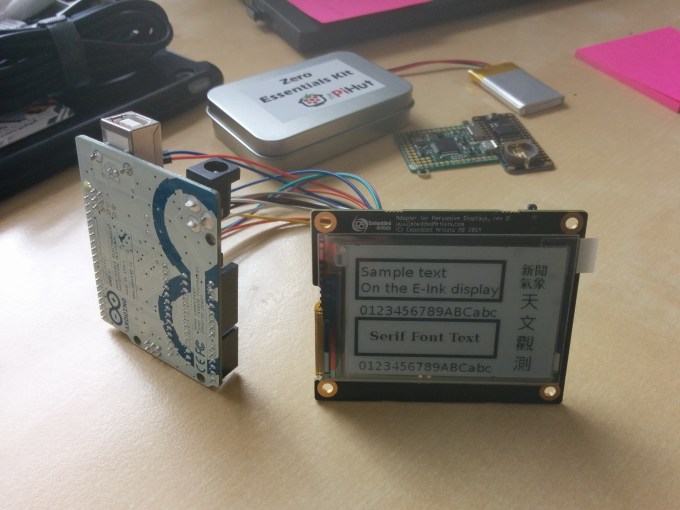
Getting the Arduino controlling the display was easy.

IMG_20160730_134127

As the Embedded Artists display is using the RePaper / Pervasive Displays reference model and their code is up on GitHub made it easier to get help and understand what was driving where. I also found that Google was my friend, although getting the Arduino driving the display was simpler than moving that code onto the Adafruit.

Starting with the Arduino Uno was easy as Embedded Artists have the code up on Github for that and a couple of example programs. Very quickly I realised that there were two different versions of the display (revisions A,B,C) and I had the second one, revision D. This used a different pinout arrangement and the display started to look muddy and with multiple ghosted images. Once using the correct Git repo things quickly turned right and the demo programs could be run.

Feather HUZZAH

The Adafruit Feather HUZZAH is an excellent platform in a small form factor, and with lots of support and documentation. I was impressed and also purchased the ‘Featherwing RTC’ as a precision real-time clock.

However the lack of GPIO pins on that particular Feather board meant that I could not have controlled the display – perhaps other e-ink displays have less control lines but mine needed around 10 GPIO pins free.

Micropython

I’ve been a fan  of Damien George’s micropython since the early Kickstarter days, and twice supported it – for the initial board and the implementation onto the ESP8266. I love the language, but have never found a place to use it as the SBCs kept me busy with their Linux OSes and things such as Node-RED and Ethereum. But these Python boards are excellent and low-powered, and I get to program in a language I like. An unexpected gift was Peter Hinch’s full library for the Embedded Artists display – this demonstrates to me what a professional micro-controller programmer can do, even if he is retired!

So I may go down the micropython board route and ignore the wifi requirement for the moment. My version 1.0 board does not have pads for a JST battery connection although the v1.1 boards do, plus it already has a RTC that can be backed with a coin battery.

A Tale of Distraction

  1. Open tab in browser
    1. go to video game site
    2. download it
    3. played it
    4. noticed save game button
  2. Thought of ways to hold save games between computers, such as Linux or Windows.  After all, this was a cross-platform game!
    1. Box/Dropbox or similar?
    2. Owncloud (I used to run this on an older server)
    3. I have a SBC which is not in heavy use
    4. I have a 1TB USB drive which could hold Owncloud server …
  3. Installed Owncloud
    1. proxy rules on my nginx front-end server
    2. php installed on backend
    3. mariadb rather than MySQL
      1. there isn’t a executable for ARMhf
        1. download
        2. compile
    4. Went with MySQL because at least this works on ARMhf and there are executables in the repo
  4. … and so on.  I didn’t play that game again so all the above was lost, however I DO now have a great mechanism for sharing between computers.

This tale of distraction isn’t unique I know – XKCD wrote about it and we’re all afflicted in some degree, but it is interesting to me how much of my day is based around following-the-white-rabbit down the rabbit hole.  All good stuff!

Running Teamspeak on ARM

Teamspeak is a voice chat server which is very popular in the gaming world.  Clans and casual gamers use it to communicate during gameplay, and as it is not tied to one game publisher nor gaming platform (such as Steam, which also has a voice chat feature) so it can be used cross-game and cross-publisher. It is also very easy to set up and create channels, as well as allocate users and blacklist rogue elements or misbehaving players.  In addition you can use it for limited number of players for free – up to 32, beyond that there is a licence model for hosting providers and the like.

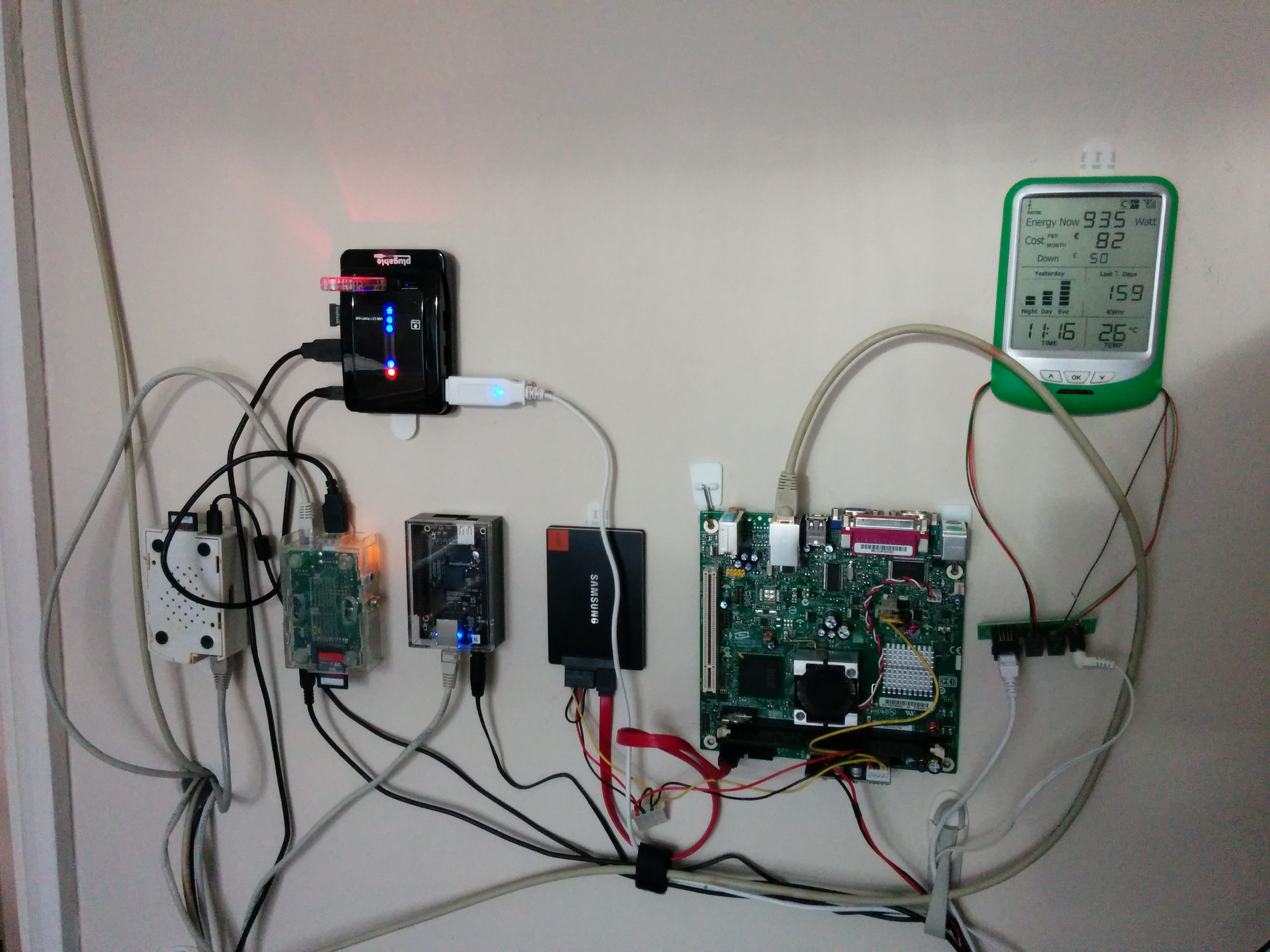
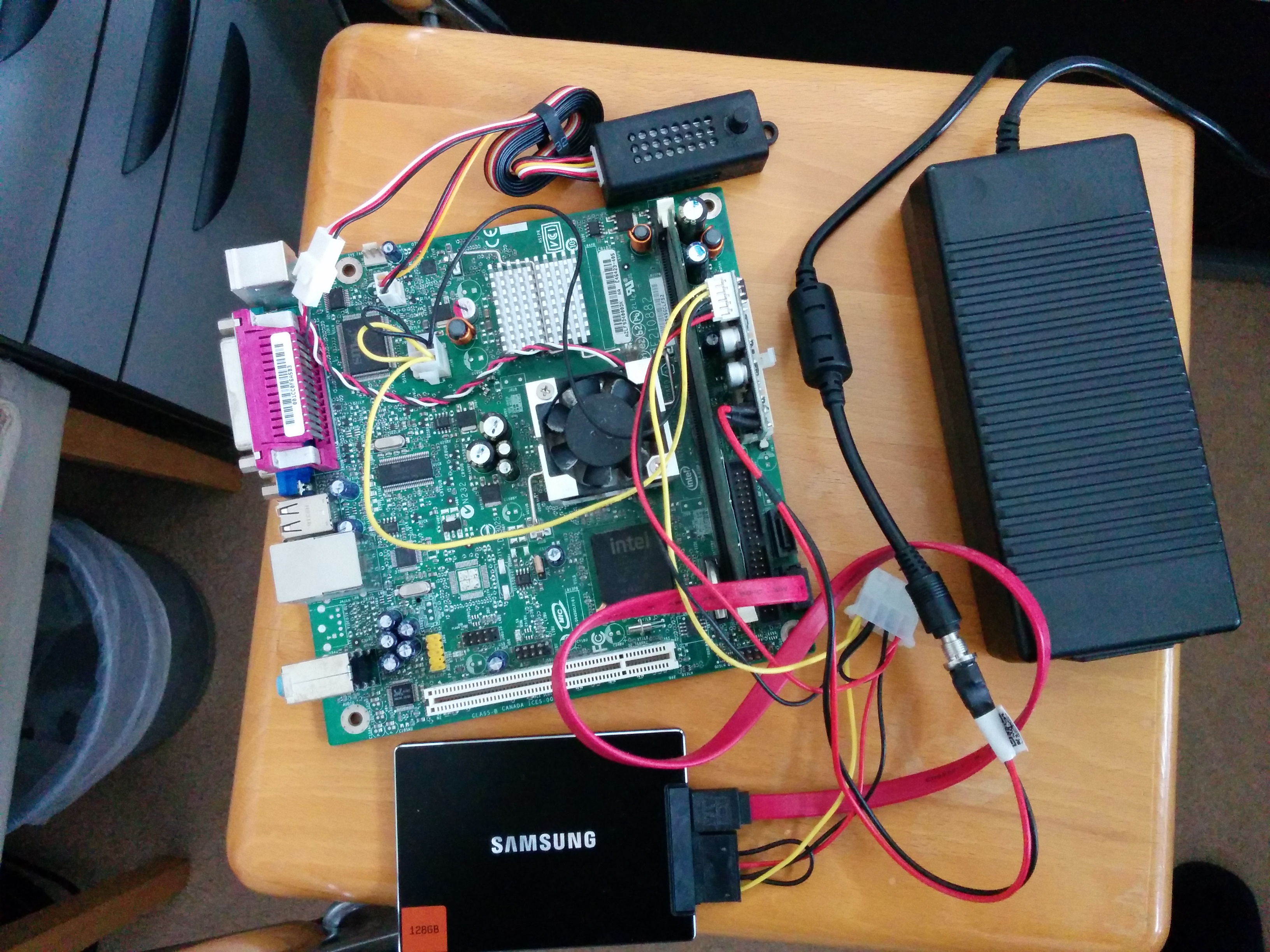
I’d previously run a very small Teamspeak server for my son’s clan on a Atom-based barebones PC, using a mini power supply and a flash hard disk on a SATA connection.  This worked well, but the small CPU hardware fan was annoying until damped down by a speed controller, and the electricity of 20W per day was unnerving, especially if no-one was using the server during the day.  That’s it below, and the mess of wires is just how it works.

redwall IMG_20160404_141846 IMG_20160404_141913

The problem was that Teamspeak only runs on Android/iOS and x86 architectures, there is no compiled binary for ARM architecture and none forthcoming. The endless requests on their forum proved this, and the continual “there are no plans for ARM” didn’t raise any hopes that the company was thinking of compiling their binaries for this platform.  Most single-board computers now are running ARM architecture, even though Intel is good it doesn’t have the cachet with the geek community in this space.

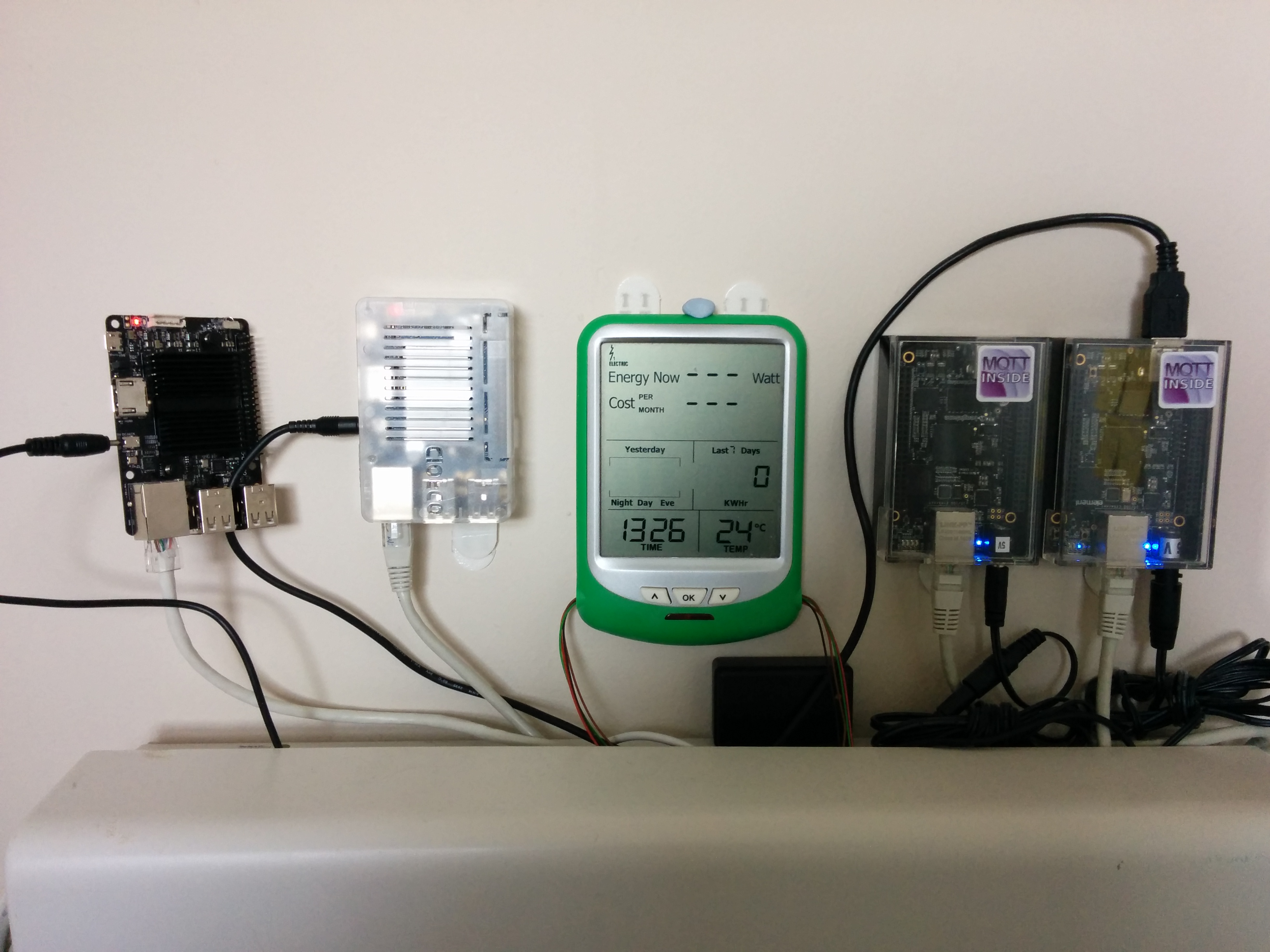
Therefore my wall of Raspberry Pi, Beaglebone Black and Odroid devices wasn’t able to run Teamspeak and I had to have an extra board hanging on the wall with lots of cords.  That was, until I discovered Eltechs – a Russian company who specialise in binary translation layers and whose Exagear Desktop was exactly that: a utility which allowed binaries compiled for x86 to run on ARM architecture devices.  I’ve now installed Exagear Desktop for about £24 on a single licence, and over a late Sunday afternoon’s coding and configuring got it running!  And it runs well!  Now, my wall of SBCs looks much neater and has just two BBB running NodeRED and other house control functions, while the Odroid is taking on the Teamspeak server (Odroid seems to have more capable boards than Raspberry Pi or Beaglebone) which it does without breaking into a sweat on its 4-cores, and then alongside is the newer Odroid C2 with a 64-bit architecture and the latest and greatest Ubuntu 16.04.

The outcome?  Much lower electricity consumption, and a set of always-on servers.

Working with a walking desk

My new home treadmill arrived several days ago, and having fought off a bout of flu I have started using it.  It is positioned under my Ikea standing desk which is much MUCH cheaper than the ‘official’ ones – it is a Frederik desk like here, and they really do work well.

The treadmill is a domestic one sold by a UK reseller, although most likely sourced from China somewhere.  The important point is that it is quiet, low, and slow.  I won’t be running a marathon on this thing and it isn’t meant to go fast like a gym one.  Instead, continual slow sessions of walking will accumulate into a workout will still meaning I can take conference calls and work at the desk.

This piece has been written while using it and I have to say it is a really, really easy thing to get used to.  I was impressed by Stephen Wolfram (of Mathematica fame) who used one, and also Neal Stephenson and his diatribe Arsebestos wherein he explains just how much sitting down is killing us.  Now, I don’t take that as evidence nor my own annecdotal experience but I do observe that when I used a standing desk I never had any back pains, and when I gave up for some time and re-used an office chair I ended up with a sacro-illiac joint problem which extended painfully for some months.  So back to the standing desk, and now the treadmill, and onwards to Skeletor!*

* (A character in Stephenson’s Reamde who is a lore writer).